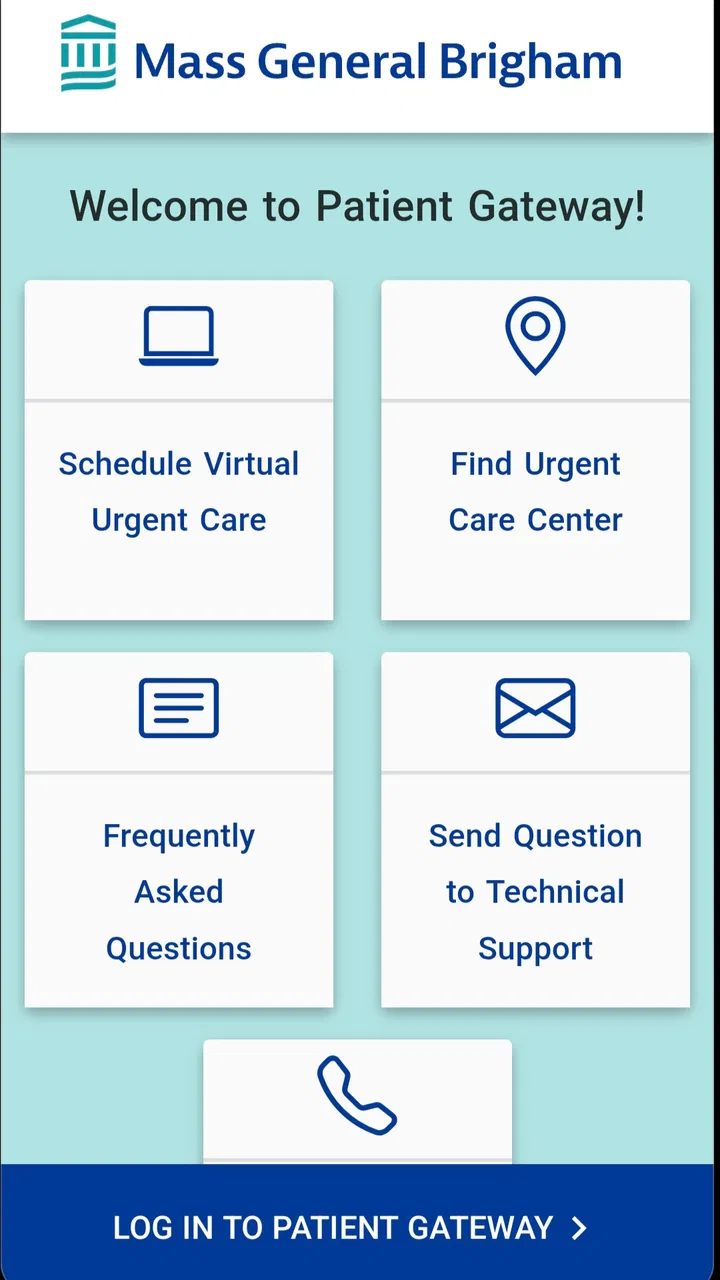
Patient Gateway
- 4.4
- Rating
- 100.00K
- Installs
- Free
- Price

 Analysis by App-foxy
When I need to deal with a medical question, the difficult part is often not the question itself. It is finding the right information, sending it to the right person, and remembering what happened afterward. Patient Gateway is designed for that part of the process. Developed by Mass General Brigham, Inc, this free medical app gives patients a digital place to view health information and communicate with their doctor.
I see it as a companion to an existing care relationship rather than a replacement for a clinic, a phone call, or urgent medical help. That distinction matters. The app is most useful when I already receive care through a participating Mass General Brigham service and want a more organized way to handle routine communication. It is less useful if I expect an independent medical advice service or an instant response to an emergency.
The app has been available since March 16, 2017, and its current version is 11.5.100. It is free to use and carries an Everyone age rating, while the Android requirement is version 9 or later. With a 4.4 average from around 2.5 thousand ratings and more than 100 thousand installs, it has clearly become a familiar option for patients looking for a direct digital connection with their care team.
You May Also Like

 Blood Strike: 2.5 Anniversary
Blood Strike’s Loadouts Turn Every Drop Into a Tactical Gamble
A close look at Blood Strike’s custom loadouts: how fast access to signature weapons reshapes its battle royale rhythm, rewards preparation, and narrows the gap between fights.

 Pandora - Music & Podcasts
Pandora’s Music Is Easy to Start, but Harder to Recover
Pandora’s strength is its low-effort path from a seed to a station. Its weak spot is how much confidence it asks you to place in connection, setup, and quiet recovery.

 8 Ball Pool
 Is Built on Rivalries, Rematches, and Routine
A close look at the rivalries, rematches, shared routines, and unanswered safety questions that turn a quick pool match into a persistent mobile community.

 Samsung Music
’s Quiet Strength Is Playing What You Already Own
Its reach comes less from spectacle than from dependable access to a personal library. That simplicity is both the app’s strongest retention engine and its ceiling.

 AccuWeather: Weather Radar
AccuWeather Review: A Quick, Clear Forecast for Everyday Decisions
For everyday plans, the best forecast is the one you can understand quickly. AccuWeather makes rain timing, radar, and local conditions easy to act on, with a few trade-offs.

 Hill Climb Racing
Why Hill Climb Racing Still Turns Crashes Into One More Run
A tiny car, a bumpy hill and one more upgrade: Hill Climb Racing keeps resurfacing because its simple chaos makes every near-miss feel personal.
More From Our News Desk



Following a patient question from the first message to the next step
When I’m following a patient question from the first message to its next step, I focus on keeping the exchange useful rather than simply sending a note and waiting. I’d make the request specific, then return to the response when I can give it my full attention and identify what I need to do next. That small pause helps turn a portal conversation into a practical part of care.
Starting with the situation that needs attention
A realistic use case might begin with something ordinary: I have a question after a visit, I need to check information connected with my care, or I want to contact my doctor without trying to explain the whole situation to a receptionist. Instead of searching through old messages or relying on memory, I open Patient Gateway and start from the information already connected to my patient account.
That starting point is the app's main strength. It brings health-related communication and records into one patient-facing space. The benefit is not that it makes healthcare simple; healthcare rarely is. The benefit is that it gives me a clearer place to begin. I can approach a routine question as a trackable task rather than an improvised phone conversation.
I would still prepare before opening the app. A short message works better when it includes the relevant context, the date of a visit if it matters, and a clear request. Writing “I have a question about my treatment” leaves the recipient with extra work. Writing what changed, what I need clarified, and whether the question is routine makes the handoff more useful.
This is one of the less obvious ways to get value from the app: use it as a preparation tool, not merely a message box. I can review the information available to me first, identify exactly what is unclear, and then send one focused message. That reduces back-and-forth and makes it easier to compare the eventual reply with the original question.
Moving through the app instead of switching between systems
Once I am inside, the practical flow is straightforward in concept. I look for the health information relevant to my situation, decide whether the answer is already available there, and then communicate with my doctor if I still need help. This order is important. Checking first can prevent a needless message and may help me phrase a better one.
For example, after an appointment I might want to confirm what was discussed. I can first review the information presented through the patient account, then send a message only if something remains confusing. If I am managing care for a family member or trying to keep track of several appointments, having the information and communication channel in the same app is more practical than maintaining separate notes, email threads, and phone records.
I would not treat every item shown in a patient portal as self-explanatory. Medical terminology can be difficult, and a result or note may need professional interpretation. Patient Gateway helps me reach the appropriate clinical relationship, but it does not turn a medical record into plain-language advice automatically. My responsibility is to ask when something is unclear rather than guessing from a screen.
Another useful habit is to write down what action follows a message. If I ask whether I should schedule a follow-up, change something, or bring a document to the next visit, I can keep the reply connected to that action. The app is strongest when I use it to move care forward, not when I simply browse information without deciding what I need to do next.
Understanding the handoff between patient and care team
The central handoff is from me to the medical office. I provide the question and context; the care team decides how it should be handled. That may mean a written response, a request for more information, a recommendation to arrange an appointment, or a direction to use another channel. The app makes the communication path more visible, but it does not remove the clinical judgment or administrative work on the other side.
This is where expectations matter. A portal message is appropriate for routine communication, not for a rapidly worsening condition or an immediate danger. If I need urgent help, waiting inside a patient app would be the wrong workflow. I would use emergency services or the appropriate urgent medical channel instead. Patient Gateway should support normal care coordination, not become a substitute for time-sensitive assistance.
The handoff also works in the other direction. The clinic may place information in the patient account, and I need to read it carefully, notice any requested follow-up, and act on it. A portal can make information available without guaranteeing that I will understand its priority. I find it helpful to review messages when I have enough attention to process them, rather than opening them while distracted and assuming the matter is finished.
For people who dislike phone calls, this written route can be a meaningful advantage. I can explain a question without being rushed, and I have a clearer record of what I asked. However, written communication can also be slower or less suitable for complicated discussions. If a matter requires several clarifications, a conversation with the office may be more efficient than sending a long chain of messages.
What the workflow feels like in everyday use
Imagine that I leave a visit unsure about one instruction. At home, I open the app and review the available health information. I find enough detail to understand the general plan but still have one practical question. I send a concise message describing the instruction and asking what I should do in my specific situation. Later, I return to the app, read the response, and use it to decide whether I need another appointment or simply need to follow the clarified plan.
The outcome is not dramatic, but it is useful: the question has a visible starting point, a documented handoff, and a next step. That is the kind of small improvement that makes a patient portal worthwhile. It can reduce the mental load of remembering whom I contacted and what I was told, especially when a medical issue already takes up enough attention.
I also appreciate the separation between personal organization and general internet searching. Searching online may produce broad information that does not apply to my history. Patient Gateway keeps me closer to my own care context and my medical team. That does not make every displayed item complete or easy to interpret, but it gives the conversation a more relevant starting place than a generic search engine.
For a caregiver, the value depends heavily on how the patient account and care arrangement are set up. I would not assume that simply having the app gives me access to another person's information. Privacy and account boundaries are part of the workflow, so I would use only the access properly available to me and avoid sharing login details casually. The app is for personal health communication, not a general family dashboard.
Where Patient Gateway compares well with usual alternatives
The usual alternatives are calling the office, sending ordinary email, checking paper documents, or using a general notes app to track instructions. Patient Gateway has a clear advantage over ordinary email because it is built around a patient-care relationship rather than a personal inbox. It is also more appropriate than putting medical details into a general messaging service, where the conversation can become difficult to organize and may not reach the right clinical team.
Phone calls still have an important advantage. They can be better when the issue is complicated, when tone and immediate clarification matter, or when I need to resolve an administrative problem quickly. A phone conversation may also be the better choice if I am unsure which department should receive a message. The app is not automatically superior; it is better for routine, written, traceable communication.
A general health-record app may offer broader tracking tools, but Patient Gateway's identity is narrower and more practical: it connects me with information and communication related to my doctor. That focus is helpful if my care is already within the Mass General Brigham environment. If I want a universal place to combine records from unrelated healthcare organizations, manage lifestyle data, or build a detailed personal health database, this may not be the right primary tool.
The trade-off is simple. The closer my needs are to viewing information and contacting my doctor, the more sense the app makes. The farther my needs move toward emergency care, independent diagnosis, cross-provider aggregation, or extensive self-tracking, the more likely another option or direct contact method will serve me better.
Small habits that make the app more useful
I would use three habits with this app. First, I would check the existing information before composing a message. This avoids asking a question that is already answered and helps me refer to the exact item that is confusing. Second, I would keep each message focused on one issue when possible. A short, specific request is easier for a busy care team to route and answer than a long account of unrelated concerns.
Third, I would treat the response as an action point. After reading it, I would decide whether I need to schedule something, continue monitoring, prepare for a visit, or contact the office another way. This prevents the common portal mistake of reading a message and then forgetting what it required.
A fourth habit is especially useful for people managing recurring care: review the account before an appointment and note the questions that still need discussion. The app can help me arrive better prepared, but it does not replace speaking up during the visit. I would use it to collect and organize concerns, then bring the important ones into the clinical conversation.
Finally, I would keep notifications and account security in mind. Medical information deserves more care than a casual social message. I would use a secure device, avoid leaving the account open on a shared phone, and check messages in a private setting. These are not flashy features, but they are part of using a patient portal responsibly.
Where the flow breaks down
The biggest limitation is that the app depends on the healthcare relationship behind it. If my doctor, department, or care situation is not connected to the relevant Patient Gateway service, the app cannot become a universal communication bridge simply because I installed it. Its usefulness is therefore highly personal: excellent for the right patient relationship, limited for someone outside that system.
There is also friction in the difference between access and understanding. Seeing health information does not necessarily explain what it means, how serious it is, or what I should do next. I may still need a clinician to interpret it. Someone who expects the app to answer medical questions automatically could feel disappointed, while someone who sees it as a secure route to the care team will have more realistic expectations.
Written communication has limits as well. A message can be misunderstood, may require follow-up, and is not suitable for urgent symptoms. If the issue is emotionally difficult or medically complex, the convenience of typing may not compensate for the lack of an immediate conversation. In those cases, calling the office or arranging a visit is the better choice.
Accessibility and comfort can also affect the experience. Older patients, people with limited digital confidence, or anyone using a device that no longer supports the required Android version may prefer help from a trusted person or another communication route. The app is rated for Everyone, but that age label does not mean every patient will find a digital portal equally easy to navigate.
Because the app handles personal medical information, I would also avoid treating it like a casual utility that can be shared freely. A family member helping with technology should not automatically receive unrestricted access. The safest workflow is to keep control of the account and use only the access arrangements that properly apply to the patient's care.
My recommendation after following the complete workflow
Patient Gateway succeeds when the task is clear: I need to review information connected with my care or send a routine question to my doctor, then return for the answer and act on it. The journey from question to outcome is more organized than ordinary email and less dependent on remembering a phone conversation. For many patients, that alone is a worthwhile improvement.
I would recommend it to people already receiving care through the Mass General Brigham network who prefer written communication and want a convenient way to stay connected with their doctor. The free price removes an obvious barrier, and the established presence of the app, along with its strong average rating, suggests that it meets a real everyday need for many users.
I would not recommend relying on it for emergencies, diagnosis, or every kind of healthcare organization. Someone seeking a broad personal health tracker, a cross-provider record manager, or immediate answers may need a different tool. Even for the right user, the best results come from combining the app with sensible preparation, careful reading, and direct contact when a message is not enough.
My final view is positive but practical: Patient Gateway is most valuable as a dependable handoff between a patient and an existing medical team. It helps me start with the information I have, ask a focused question, receive guidance, and turn that guidance into a next step. It does not make healthcare effortless, but it can make routine communication easier to follow, easier to revisit, and less likely to disappear in the noise of everyday life.
FAQs for Patient Gateway
01What is Patient Gateway used for?
Patient Gateway is a secure patient portal that helps you manage many aspects of your healthcare online. Depending on your healthcare provider, you may be able to view medical records, review test results, request prescription refills, schedule or manage appointments, read visit summaries, and communicate with your care team. Available tools can vary by organization and patient account.
02How do I sign in or create a Patient Gateway account?
To use Patient Gateway, you generally need an account provided or activated through a participating healthcare organization. Registration may require an activation code, personal information, and identity verification. After creating your account, you sign in with your username and password, or use an approved authentication method if available. Contact your provider’s support team if registration details are missing.
03Can I use Patient Gateway to message my doctor and schedule appointments?
In many cases, Patient Gateway allows you to send secure messages to a doctor, nurse, or clinic, although messaging may be limited to established care teams and specific topics. Some participating organizations also provide appointment scheduling, cancellation, or request features. The exact options depend on your healthcare provider, appointment type, and local policies, so not every service may appear.
04Is my health information secure in the Patient Gateway app?
Patient Gateway is designed to provide secure access to personal health information through a protected account and encrypted communication features. However, your own device and login habits also affect privacy. Use a strong password, avoid sharing credentials, enable available security options, and sign out on shared devices. Never use the app as a replacement for emergency medical services.
05Can family members or caregivers access my Patient Gateway account?
Many healthcare organizations support proxy access, allowing a parent, legal guardian, or authorized caregiver to manage another person’s Patient Gateway information. Permission requirements and available features vary according to age, legal status, and provider policy. You should not share your personal password. Instead, ask the healthcare organization about setting up official proxy access with the correct authorization.
Pros
- Secure access to appointments
- test results
- and medical records in one place.
- Direct messaging makes it easier to contact participating healthcare providers.
- Appointment reminders can help users keep track of upcoming visits.
- Prescription refill requests may save time compared with calling the clinic.
- Supports proxy access for managing healthcare information for eligible family members.
Cons
- Features depend heavily on whether your healthcare provider participates in Patient Gateway.
- Some results may appear before a doctor has explained them
- causing unnecessary concern.
- Messaging is not intended for urgent medical situations or immediate clinical advice.
- The interface can feel confusing when several providers or family accounts are linked.
- Notifications and updates may be delayed depending on clinic processing times.

Patient Gateway
Gallery